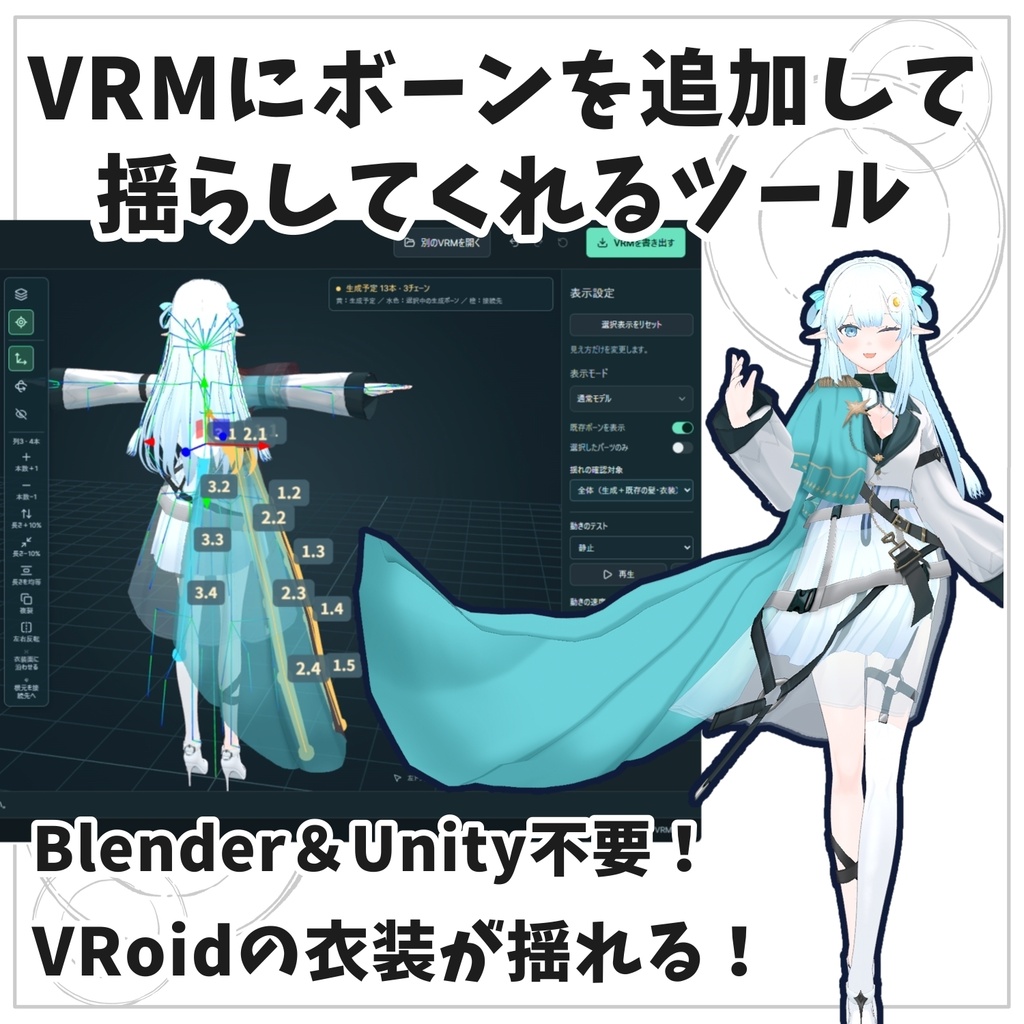
【VRM改変ツール】VRMBoneEditor~VRMにボーンを追加して揺らしてくれるツール~
- ダウンロード商品試用版(VRM書き出し不可)¥ 0無料ダウンロードVRMBoneEditor-1.3.3-Browser-Trial.zip(502 KB)VRMBoneEditor-1.3.3-Browser-Trial.zip
- ダウンロード商品有料版 / Standard¥ 2,000
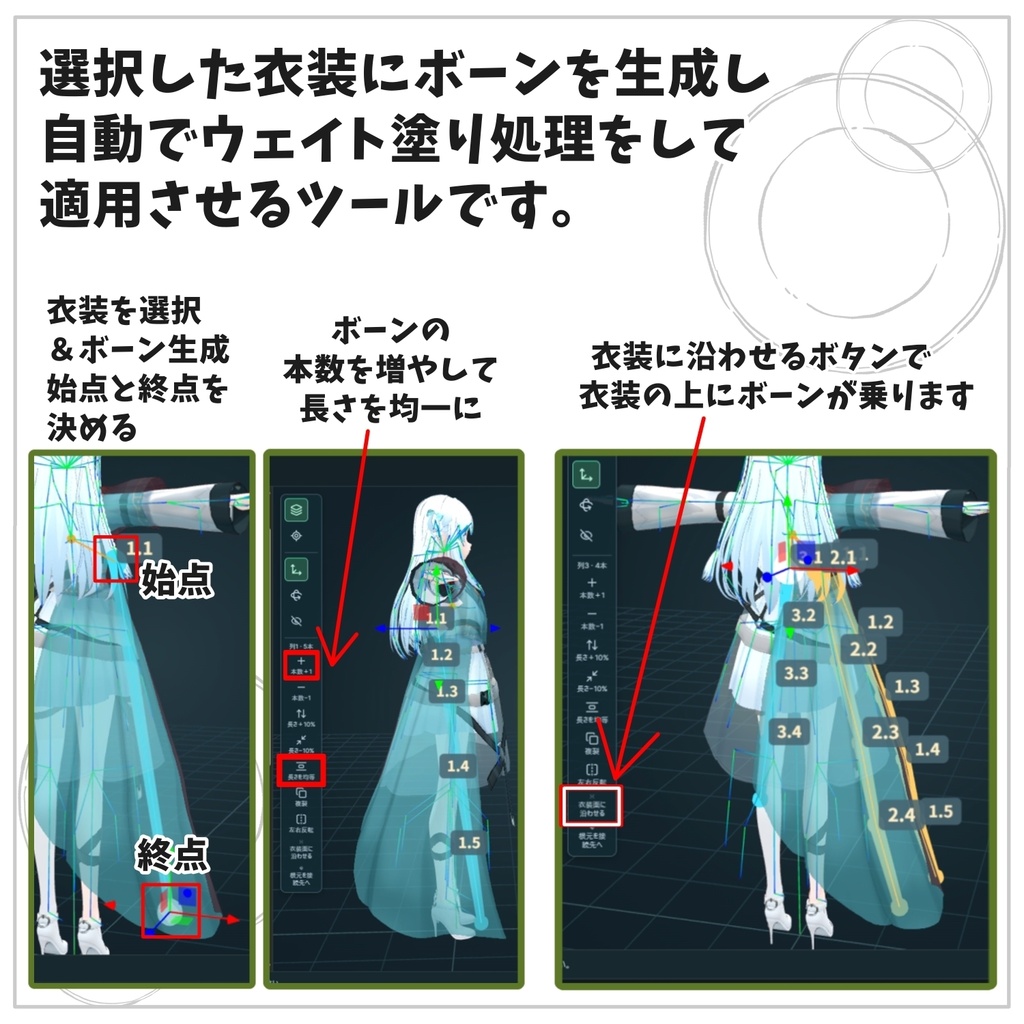
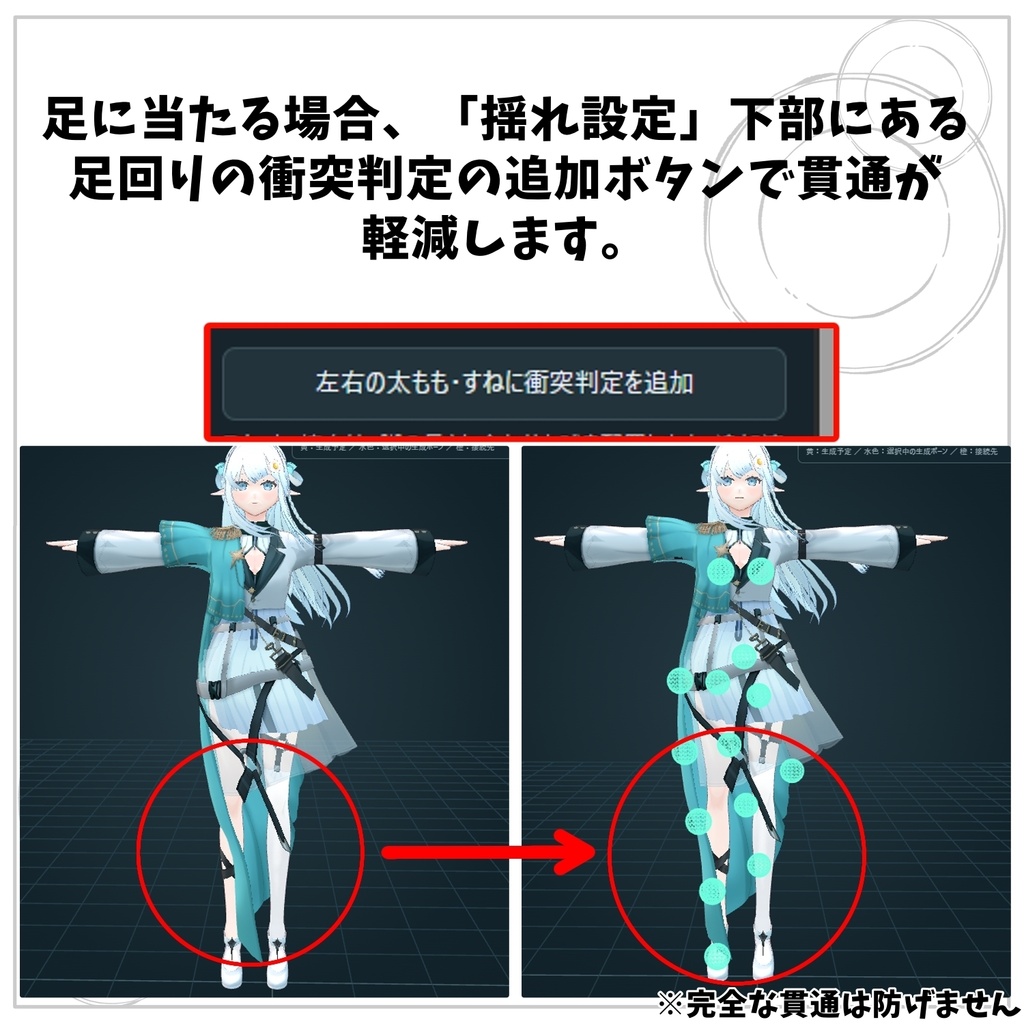
VRMにボーンを追加して揺らしてくれるツールです。 衣装や髪、小物にボーンを追加して、揺れる動きを付けられる編集ツールです。 モデルをクリックしてパーツを選び、画面上のハンドルを動かしてボーンの位置や角度を調整。動作テストで揺れ方を確認しながら編集できます。 ◇VRM 0.0/1.0に対応。日本語・英語を切り替えて使用できます。 【主な機能】 ①ボーンの追加・配置 本数や長さを調整し、複製・左右反転・複数列のまとめて編集ができます。 ②ボーンの接続変更 生成したボーンや既存ボーンの接続先を変更できます。 ③髪アイテム・アクセサリーの付け替え 関連パーツを選び、移動・回転・拡縮や接続先の変更ができます。 ④揺れの設定 揺れやすさや衝突半径を調整。スカート・袴向けに脚の衝突判定も追加できます。 ⑤動作プレビュー 左右・前後の動き、ターン、しゃがみなどで確認。速度と動作の幅も調整できます。 ⑥元に戻す・やり直す ショートカットにも対応しています。 内容物 Windows版 v1.2.1 ・起動用アプリ「VRMBoneEditor.exe」 ・アプリの動作に必要な「app」フォルダ ・はじめに・取扱説明書 ・英語版ガイド ・更新履歴・ライセンス関連ファイル ZIPを展開し、フォルダの中にある 「VRMBoneEditor.exe」 を起動してください。exeとappフォルダは一緒に置いてご使用ください。 【ご購入前に】 編集するVRMモデルはご自身でご用意ください。動作の重さはモデルの複雑さやPCの性能によって異なるため、まずは試供版でお試しください。 PMXへの直接出力には対応していません。別ツールでPMXへ変換する場合、揺れの設定がそのまま引き継がれるとは限りません。 出力後の動作確認済アプリとコンテンツ (製作者がメインで使うもの優先で検証) ・VRoid hub ・cluster ・VRM Posing Desktop ・VRM Live Viewer 【サポート】 不具合のご報告・ご質問はBOOTHメッセージよりご連絡ください。 表示されたエラーメッセージを添えていただけると助かります。個別のモデルや衣装そのもののサポートは行っておりません。 Tool Overview This tool adds bones to your VRM models and adds dynamic swaying movements. An editing tool that allows you to add bones to outfits, hair, and accessories to create realistic swaying animations. Simply click on the model to select parts, and use the on-screen handles to adjust bone positions and angles. You can check the swaying behavior in real-time using the motion test feature while editing. ◇ Supports both VRM 0.0 and 1.0. Includes language switching between Japanese and English. Key Features Bone Addition & Placement Adjust the count and length, duplicate, mirror left-to-right, and batch-edit multiple rows at once. Bone Connection Reassignment Change the parent-child connection targets for newly generated or existing bones. Hair & Accessory Adjustment Select related parts to move, rotate, scale, and change their connection targets. Sway Settings (SpringBone) Adjust flexibility, stiffness, and collision radii. Includes leg collision settings specifically tailored for skirts and hakama. Motion Preview Test animations with side-to-side/front-to-back movements, turns, and crouching. Playback speed and range can also be adjusted. Undo & Redo Fully supports standard keyboard shortcuts. Package Contents Windows Version v1.2.1 Launcher application (VRMBoneEditor.exe) app folder (required for the application to run) Getting Started / User Manual English Guide Changelog & License files To use, extract the ZIP file and launch VRMBoneEditor.exe from within the folder. Please ensure VRMBoneEditor.exe and the app folder are kept together in the same directory. Before You Purchase You must provide your own VRM model to edit. Performance and execution speed may vary depending on the model's complexity and your PC specs—please try the trial version first before purchasing. Direct export to PMX is not supported. If converting to PMX using external tools, swaying settings may not carry over correctly. Tested Platforms & Applications (Tested primarily with the creator's main use cases) VRoid Hub cluster VRM Posing Desktop VRM Live Viewer Support For bug reports or inquiries, please contact us via BOOTH messages. Providing any error messages that appear will help us assist you faster. Please note that we cannot provide support for individual models or clothing assets themselves.
【利用規約・Terms of Use】
本アイテム(以下「本データ」)のご利用にあたっては、以下の規約をご確認ください。なお、本データの著作権は放棄しておりません。 ■ 許可されていること(利用範囲) VRMの利用:書き出したVRMデータは、個人利用・商用利用を問わずご自由にお使いいただけます。 主な用途:動画制作、ライブ配信、画像制作、各種VRSNS(VRChatなど)でのご利用が可能です。 クレジット表記:任意(表記していただけると励みになります) ■ 禁止事項 本データ(本体および同梱データ)の再配布、販売、譲渡、共有。 本データの改変、リバースエンジニアリング等の解析行為。 ■ 注意事項 出力されたVRMの扱い:本ツールを用いて編集・書き出ししたVRMデータの取り扱いについては、大元となるモデルの利用規約にも必ず従ってください。 サードパーティ製パーツの利用:第三者が制作したモデル、衣装、テクスチャ等を使用する場合は、必ず各制作者様の利用規約をご自身でご確認のうえご利用ください。 免責事項:本データの使用によって生じたトラブルや損害等について、作者は一切の責任を負いかねます。 Copyright Copyright of this data remains with the author and is not waived. Permitted Use VRM files exported using this tool may be used for both personal and commercial purposes. You can use them in videos, live streams, image creation, VRChat, and other virtual SNS platforms. Credit: Optional (though appreciated if you do). Prohibited Actions Redistribution, resale, transfer, or sharing of this application and its bundled data (in whole or in part). Modification, reverse engineering, or other forms of analysis of this tool. Important Notes & Disclaimer Exported VRM Models: When using VRM data edited and exported through this tool, you must also comply with the terms of use of the original base model. Third-Party Assets: If you use models, outfits, textures, or other assets created by third parties, please ensure you check and follow the respective creators' terms of use. Disclaimer: The author assumes no responsibility for any issues, troubles, or damages arising from the use of this tool.
【更新状況】
9/9午前 1.2.1版 リリース 9/9午後 1.3.3版 編集枠の整理、アウトラインカラーの変更。 スプリングボーン設定にて、ボーンの選択範囲の部分除外機能を追加しました。 「マントと同じ柔らかさで胸を揺らしたくない」といった目的の際に、衣装内のバストに該当するボーンをオフにします。